On September 8 2012 the twitter announced a new way to make changes of you twitter profile: called Header images. These are look like Facebook and Google+ cover photos and steps for adding them is so easy.
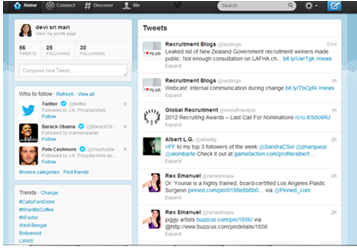
First look at new twitter profile, the page that’s called “Me” on twitter web site or in your mobile app. You can make the changes from twitter web site (via https://twitter.com/settings/design) or you can make changes from your mobile also. Now we can chose the newly updated iPad app.
Select the “Me” option from the left menu bar. Choose the setting icon under your profile or avatar and select the “Edit profile” option.

Select “Header”, in that it is having the two options: “Take photo” or “Choose Existing photo”. It will allow you to take new image from your mobile. Then you select the image from your image library.


After selecting the image you can move and scale it in your place. Remember that the original image size is not exceeding to 1252×626 pixels and maximum file size of 5 MB. Twitter is not specified any minimum size but smaller than 640 pixel will not give attractive page.

Now your new header image appears behind your avatar. The advantage of image behind your avatar is that you can, as with Facebook or Google + cover image. Create interaction between your avatar and the header image with this and have fun.